Images and video

Say it — and see it

Upload your own photo or simply describe the shot — a couple of minutes later it is ready. Like it? The same frame becomes a short video. All in the browser: nothing to install, nothing to learn.

A minute to sign up · 3 free generations for Telegram or MAX · no card needed

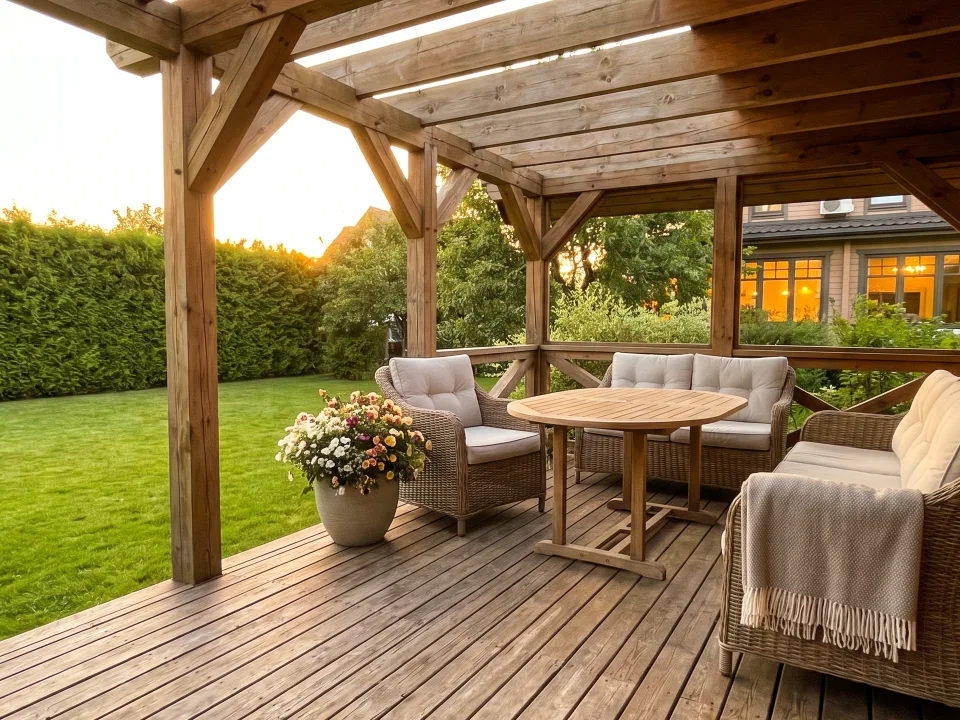
The source photo: an open summer terrace on a wooden deck on an overcast day — a light timber frame, wicker chairs and tables, the bays between the posts left open, a grey car parked by the village street on the right The result: the same terrace by day — the car by the deck is gone, a mown green lawn in its place, the frame's bays still open Your photo Result
Example prompt: take the car out of the frame and put a lawn there

One photo, four different prompts — drag the slider to see the original.

How it works

Three moves — and the result is ready to send

No settings to study, no technical vocabulary. You write the way you write messages.

  1. Start with whatever you have

    Upload a photo, take a ready-made prompt from the catalog, or just describe the shot. A source image is optional: a frame can be made from scratch, and one project can hold several at once.

  2. Say what to change

    In your own words. Need to fix only part of the frame? Outline it right on the photo, and the edit applies to that area alone.

  3. Pick from the variants

    Every run lands as its own branch next to the previous ones. Nothing is overwritten: step back and go the other way whenever you want.

Video

And the same thing — in motion

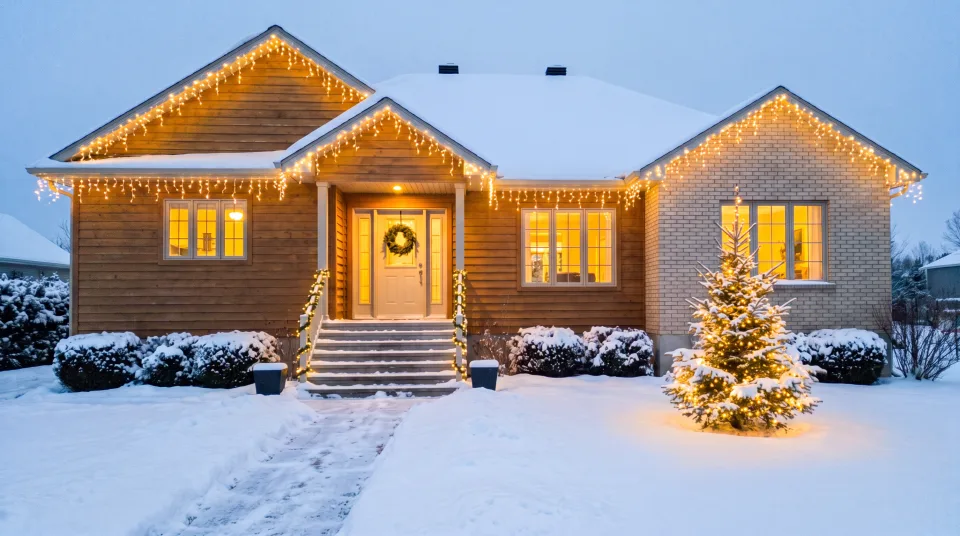
Any finished frame can be brought to life: the camera orbits the object, lights twinkle, snow falls. The object itself is not redrawn — only what should move, moves.

A real clip from KRAB PRO: one photo of a house → 8 seconds of orbit. Nothing in the frame was redrawn or repainted.
  • 4, 6 or 8 seconds
  • with sound
  • 720p and 1080p
  • 16:9 and 9:16
  • your own first and last frame
  • a finished mp4

Clips continue one another

The last frame of a finished clip becomes the first frame of the next one, so short clips add up to a chain. In fullscreen the project's clips play back to back.

Video is available on paid plans.

Variants

A bad attempt does not erase a good one

Edits do not line up in a single row the way they do in a chat. Each one is a branch from the frame you edited, and all the branches live side by side.

The source photo: an open summer terrace on a wooden deck on an overcast day — a light timber frame, wicker chairs and tables, the bays between the posts left open, a grey car parked by the village street on the right
Source
  • The result: the same terrace by day — the car by the deck is gone, a mown green lawn in its place, the frame's bays still open
    take the car out of the frame and put a lawn there
  • The result: the same terrace by day — pots of flowering red and pink geraniums along the edge of the deck, everything else unchanged
    line the terrace with potted flowers
  • The result: the same terrace by day — a beige awning roof stretched over the frame, the deck in soft shade, the bays between the posts open
    stretch an awning roof over the frame
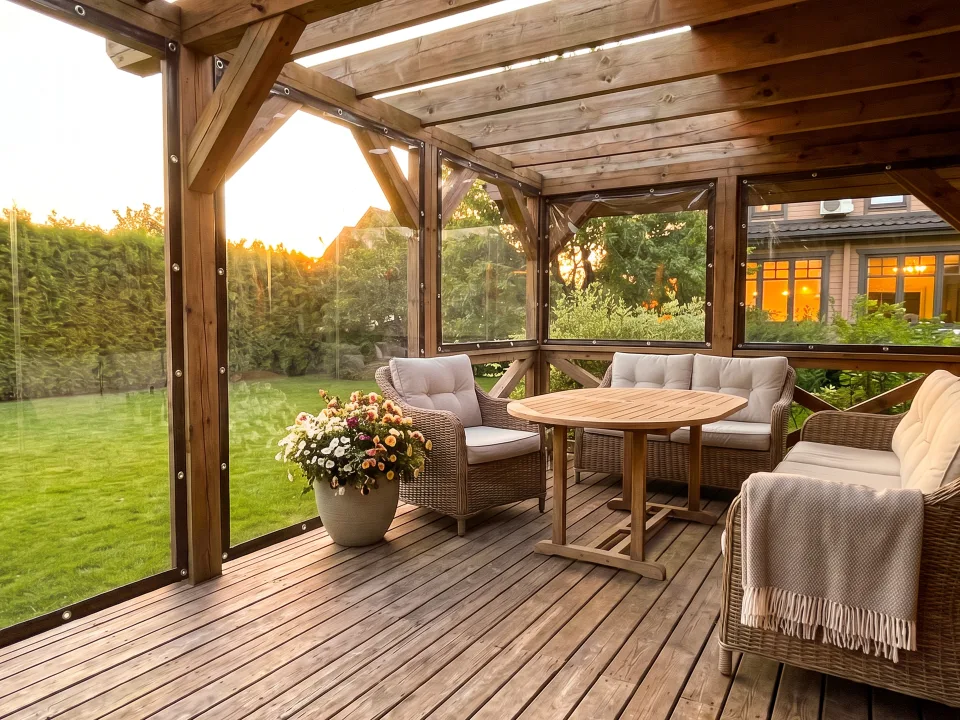
  • The result: the same terrace in the evening — the bays covered with clear soft windows with dark edging and straps, a warm garland of retro bulbs glowing under the top beam
    soft windows across the terrace and a warm garland
  • Go back to any earlier frame and take it in a different direction
  • Keep several sources in one project — each grows its own tree
  • Images and clips live in the same tree, not in separate places

Catalog

For when you would rather not write the words

Ready-made prompts: pick one and press. They cover what people ask for most often; everything else is still written in your own words.

5 categories · 47 ready-made prompts · the catalog keeps growing

Winter decorations

Garlands and light figures on a facade, in a yard, on trees

  • Belt-light warm
  • Warm fringe
  • Cold fringe
  • RGB fringe
  • Warm LED
  • Cold LED
  • Snowman
  • Real snowman
  • Deer
  • Deer pair
  • Many garland figures

Atmosphere

Time of day, season and weather — without touching the subject

  • Morning
  • Day
  • Evening
  • Night
  • Winter
  • Spring
  • Summer
  • Autumn
  • Rain
  • Heavy rain
  • Snow
  • Blizzard
  • Frost
  • Strong wind
  • Night + winter
  • Evening + summer

Product showcase

Clip presets: what the camera does and what happens in frame

  • Orbit the object
  • Drone reveal
  • Push-in on the entrance
  • Twinkling garlands
  • Evening lighting
  • Quiet snowfall
  • Soft windows: highlights and breeze

Processing

Take out of the frame whatever is in the way

  • Clean up debris
  • Remove all light decorations
  • Remove soft windows

Soft windows

Not a list but a builder: canvas type, edge color, door opening

builder

The catalog is a convenience, not a frame. The Visualizer works with any image and any task; the catalog just saves you from composing the wording.

For work

If this is how you earn

Everything above, plus what a team cannot do without.

Your own watermark
From the Extended plan on, the frames carry your mark — logo and contacts, not ours. It is assembled from blocks in an editor and applied to every finished photo in the project.
A company and its people
Create a company and invite people: shared projects, one bill, shared credits. Rights are granted to a position in the company, not to a person's account.
Clients
A project can be attached to a client from the directory, address on the map included. Later it is easy to find what was shown to whom.
Ready-made categories for your products
Soft windows and winter decorations are already assembled: a manager picks from the catalog instead of composing wording. The product knows a soft-window job needs a door opening and does not have to ask.

Your category is not in the catalog yet?

If you make something a customer finds hard to picture on their own site, we will assemble a category for your products: a catalog of materials and colours, ready-made scenarios, and a launch together with your team.

Write to us

Pricing

You pay for generations — everything else is included

Credits come with the plan. They pay for both images and clips — there is no separate video balance.

Бесплатный
0 ₽
  • 3 стартовые генерации — за привязку Telegram или MAX
  • Хранение проектов — 7 дней
  • Водяной знак КРАБ ПРО
Start
Базовый
990 ₽ / month
  • 160 кредитов в месяц
  • Хранение проектов — 30 дней
  • Указание места на фото
  • Компактный знак КРАБ ПРО в углу
Subscribe
Recommended
Расширенный
2 990 ₽ / month
  • 460 кредитов в месяц
  • Хранение проектов — 60 дней
  • Указание места на фото
  • Свой водяной знак
  • До 3 компаний — бренды или филиалы
Subscribe
Премиум
5 990 ₽ / month
  • 900 кредитов в месяц
  • Хранение проектов — 90 дней
  • Указание места на фото
  • Свой водяной знак
  • До 10 компаний — бренды или филиалы
Subscribe

What one generation costs

Economy image
1 credit
Regular image
2 credits
Top quality and size
up to 7 credits
4-second clip, fast model
from 9 credits
8-second clip, regular model
36 credits

Credits

Run out early? Top up with packs from 20 to 2000 credits — the higher the plan, the bigger the discount on a pack. Unused credits do not expire.

Video works on every paid plan.

Platform

The Visualizer is the first tool, not the last

One account for the whole platform: when the next tool opens, there is nothing to set up again.

  • Live Visualizer Images and video: generation, editing, catalog, a tree of variants.
  • In development CRM Requests, deals, surveys and installs in one place.
  • In development Planning Crew workload and the production schedule.

FAQ

The short answers

What do I need to start?

A minute to sign up — with Google, Yandex, Telegram, MAX or plain email. Link Telegram or MAX and you get 3 free generations, once per person. No card needed. A photo is optional too: the first frame can be made from a description.

Is this only for businesses?

No. The product grew out of a tool a manufacturer used to show customers their future order — and it stayed universal: it works with any image and any task. Fixing your own photo, building a frame from scratch, turning it into a clip — none of that needs a company or employees.

What is a credit?

The unit a run is paid in. A regular image is 2 credits, an economy one is 1, the highest quality and size is up to 7. A clip starts at 9 credits; a regular eight-second one is 36. Credits come with the plan and can be topped up in packs; unused ones do not expire.

How close is the result to what I asked for?

The model works from your frame and your words, so geometry and materials stay close to the original. But it is not a blueprint: it does not always land on the first try. If it misses, refine the variant — earlier versions stay where they are and you can return to them at any time.

Does the clip come with sound?

Yes, sound is on by default and can be switched off. The model is free to return a silent file — in that case the caption under the clip honestly says «no sound» instead of claiming otherwise. Editing several clips into one file and adding your own music are not available yet.

What happens to a project when its storage runs out?

Anything finished can be downloaded at any time, and what you download is yours forever. When the term ends the project is removed from the workspace; paid plans keep it noticeably longer — 30, 60 and 90 days against 7 on the free plan.

Whose watermark is on the images?

On the free plan it is a large KRAB PRO mark; on Basic, a compact one in the corner. From Extended on, your own mark takes its place: logo and contacts. The clip file itself carries no mark.

Can we work as a team?

Yes. You create a company and invite employees: a shared workspace, shared projects, one bill per company. Extended and Premium allow several companies — for brands or branches.

Do not take our word for it — try it on your own photo

Sign up, link Telegram or MAX and upload a single shot. Three free generations are enough to tell whether this is your tool or not.

Try it free